

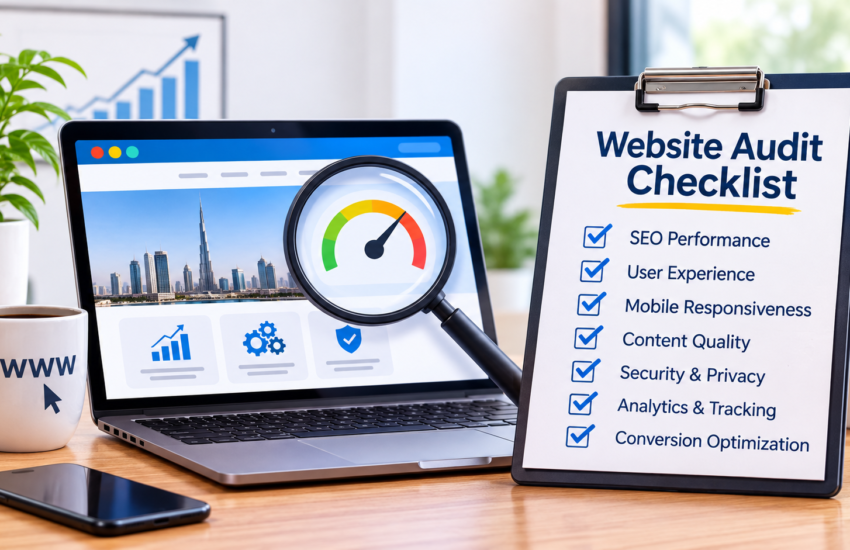
Small Business Website Audit Checklist | 15 Fixes for Leads
A small business website audit means checking four things: speed, calls to action, trust signals and tracking. Fix the 15 items below in order and the traffic you already have starts turning into inquiries. This checklist assumes your site is live but not producing leads. Work through one group per week, note your results, and re-test afterwards.
Speed & Mobile
Most visitors arrive on a phone and leave if the page stalls. Start here, because a slow or awkward mobile experience cancels every other improvement.
- Test load speed: Run PageSpeed Insights on your homepage and top service page. Aim for Largest Contentful Paint under 2.5 seconds. Compress images, switch to WebP, and remove plugins you no longer use.
- Check mobile layout: Open your site on a real phone, not just a desktop preview. Text should be readable without zooming, and buttons should be easy to tap with a thumb. Fix overlapping elements and tiny menus.
- Remove clutter above the fold: Pop-ups, sliders and auto-playing media slow the page and hide your offer. Keep one headline, one supporting image and one button so visitors know what to do immediately.
Conversion & CTAs
Traffic without a next step is wasted. Each page needs one clear action, and every visitor should know what happens after they click.
4. Give every page one primary CTA: “Get a Free Quote” or “Book a Call” beats five competing buttons. Match the CTA to the purpose of the page, and repeat it at the bottom.
5. Shorten your contact form: Name, phone number and one message field is enough. Every extra field cuts submissions, so ask for details during the follow-up call instead.
6. Make your offer clear in five seconds: A new visitor should know what you sell, who it is for and where you operate. If your homepage headline does not say this, rewrite it in plain language.
7. Link service pages to contact: Your services and website development pages should lead naturally to the contact page. Use varied button text such as “Talk to our team” or “Plan your website” rather than repeating the same label.
Trust & Content
Buyers hesitate when they cannot verify who you are. Trust signals answer the doubts a visitor will not say out loud.
8. Show real proof: Add testimonials with names or business types, plus short case results. An anonymized example works well: “a retail client reduced crawl errors by 60%.” Specific numbers beat vague praise.
9. Display contact details clearly: Put your phone number, WhatsApp, address and business hours in the header or footer on every page. Add a Google Maps embed if customers visit in person.
10. Add an About page with real people: Photos, names and experience build credibility. Mention certifications, years of work and the industries you serve, so visitors see who is behind the business.
11. Refresh outdated content: Old prices, dead offers and abandoned blog posts signal a neglected business. Review key pages every quarter. If you have no site yet, contact us for free consultation or visit our website development service page.
Technical & Tracking
You cannot improve what you do not measure, and hidden technical faults quietly block leads.
12. Fix crawl and index errors: Check Google Search Console for coverage errors, broken links and blocked pages. Pages Google cannot index cannot bring leads, so resolve 404s, redirect chains and robots.txt mistakes.
13. Set up conversion tracking: Track form submissions, phone clicks and WhatsApp clicks as events in Google Analytics 4. Without this, you cannot tell which pages and channels actually produce leads.
14. Use HTTPS and secure forms: A browser “Not secure” warning kills trust instantly. Confirm your SSL certificate is valid, forms submit securely and every page loads over HTTPS without mixed-content warnings.
-
How often should I audit my website?
Every quarter for speed, links and content. Run a full audit once a year or after a redesign.
-
Can I audit my website for free?
Yes. Page Speed Insights, Google Search Console and Google Analytics 4 are free and cover most items above.
-
Which fix should I do first?
Start with mobile speed and a single clear CTA. These two usually show results fastest.
-
How long until I see more leads?
Simple fixes like CTAs and forms can show changes within weeks. Technical and content fixes take longer, often two to three months.
-
Do I need a developer to fix these?
Fixes 3, 5, 6, 9, 10 and 12 are content changes you can make yourself. Speed, tracking and indexing usually need a developer or SEO specialist.
Get a Free Website Audit
Not sure where your site is leaking leads? Send us your URL and pick your biggest issue: traffic, leads, speed or mobile usability. Within 24-48 hours we will send a 5-point mini audit with your top fixes, no obligation. Request your free website audit service.
