


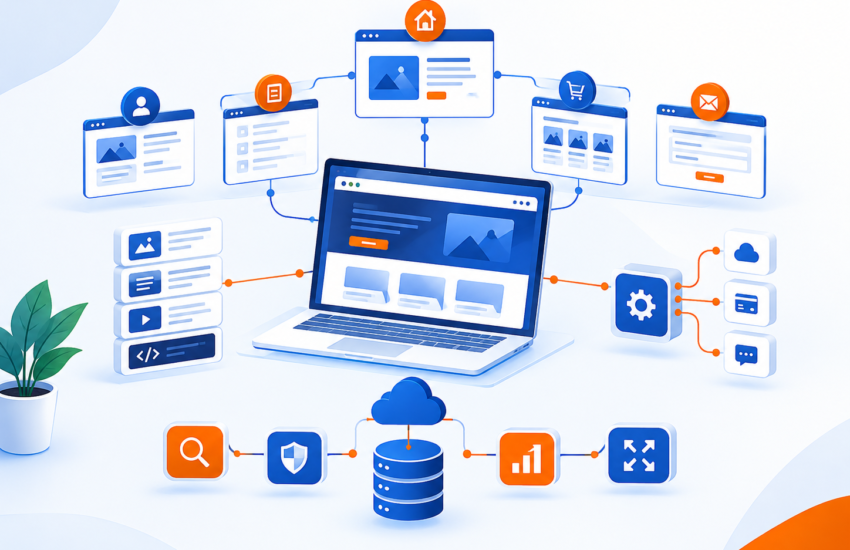
How to Build a Future-Proof Site Architecture for SEO and AI Crawlers
A future-proof site architecture makes important pages easy for people, search engines, and AI systems to discover and understand. The foundation is simple: organize pages by topic, connect them with meaningful internal links, assign one clear search intent to each URL, and remove technical barriers that prevent crawling and indexing.
The mistake is treating site architecture as a menu or URL exercise. It is much bigger than that. Your architecture tells Google which pages matter, how topics relate, and where your authority should flow.
What Is Site Architecture in SEO?
Site architecture is the way your website’s pages are organized and connected.
Your homepage sits near the top. Service or category pages sit underneath it. Supporting guides, articles, and detailed resources connect to those pages.
A simple structure could look like:
Home → SEO Services → Technical SEO → Site Architecture Guide
This structure helps users understand where they are. It also gives search engines clearer signals about the relationship between pages.
Google says every page you care about should be reachable through crawlable links from other pages on your site.
Build Around Topics, Not Just Keywords
One of the biggest architecture mistakes is creating a new page for every keyword variation.
For example, a digital marketing agency might create separate pages for:
- SEO services
- SEO company
- SEO agency
- SEO experts
- Professional SEO services
- Best SEO services
If these pages have almost the same intent, you may end up competing with yourself.
Instead, create one strong primary page for the main commercial intent. Then build supporting content around different questions and subtopics.
For example:
SEO Services
- Technical SEO
- Local SEO
- Keyword Research
- Internal Linking
- SEO Content
- Keyword Cannibalization
It also gives DigiBusiness360 a better opportunity to demonstrate topical depth instead of publishing several thin pages that target nearly the same query.
Avoid Keyword Cannibalization Before You Publish
Keyword cannibalization happens when multiple pages target the same search intent and compete for visibility. It is not simply about using the same word twice.
Before publishing a new article, ask:
- Do we already have a page answering this question?
- Is the search intent different?
- Should this be a new page or an update to an existing one?
- Which URL should own the primary keyword?
- Which existing pages should link to it?
Search intent
Primary URL
Content type
SEO services
SEO service page
Commercial
What is technical SEO?
Technical SEO guide
Informational
How does internal linking work?
Internal linking guide
Informational
What is keyword cannibalization?
Cannibalization guide
Informational
SEO for businesses
SEO pillar guide
Commercial/ Informational
This small step can prevent months of unnecessary content production.
Use Internal Links to Build Topical Authority
Internal linking is where architecture becomes useful.
Do not add links simply because an SEO plugin recommends a certain number.
Link because the reader needs the next resource.
For example, an article about site architecture can naturally link to your broader DigiBusiness360 Services hub and then to the dedicated SEO Services page when discussing professional SEO implementation.
Google specifically recommends descriptive anchor text and says internal links help both users and Google understand pages and discover additional content.
Keep Important Pages Close to the Main Navigation
There is no magic Google rule saying every page must be exactly three clicks from the homepage. Important pages should be easy to reach. Your main revenue pages should not be buried under five levels of categories.
For DigiBusiness360, important commercial pages should be connected through the main navigation, service hub, relevant blog posts, and contextual internal links. Google’s documentation confirms that crawlable links and clear pathways help Google discover URLs.
Fix Orphan Pages
An orphan page has no useful internal link pointing to it. You can publish a brilliant article, submit the sitemap, and still create a weak architecture if nothing connects that article to the rest of your website. Run a crawl and look for pages with:
- Zero internal links
- Very few referring pages
- No links from relevant category or service pages
- No connection to a topic cluster
For example, a blog post about local SEO should connect to your SEO service page. A technical SEO article could connect to a website development service when technical implementation is discussed.
Fix Orphan Pages
An orphan page has no useful internal link pointing to it. You can publish a brilliant article, submit the sitemap, and still create a weak architecture if nothing connects that article to the rest of your website. Run a crawl and look for pages with:
- Zero internal links
- Very few referring pages
- No connection to a topic cluster
- No links from relevant category or service pages
For example, a blog post about local SEO should connect to your SEO service page. A technical SEO article could connect to a website development service when technical implementation is discussed.
Use Clean URLs and Canonical Signals
Your URL should make sense to both humans and search engines.
Good:
Less useful:
/page?id=4827/
Avoid constantly changing URLs.
If two URLs contain substantially similar content, decide which version should be the primary URL. Google uses several signals for canonicalization, including redirects, canonical tags, and sitemap inclusion.
Do not use canonical tags as a substitute for fixing poor content architecture. If two pages have different purposes, make them genuinely different.
Make Your Architecture AI-Friendly
AI search does not require a completely separate SEO system.
The same fundamentals still matter:
- Trust signals
- Clear headings
- Clear authorship
- Descriptive URLs
- Accessible HTML
- Original information
- Strong internal links
- Logical topic clusters
- Structured data where appropriate
The important difference is that AI-driven systems need content that is easy to interpret in smaller sections as well as across the whole website.
A page should answer its primary question clearly without forcing the reader to hunt through five unrelated pages.
That means your architecture should connect pages, topics, entities, and evidence.
Build E-E-A-T Into the Architecture
E-E-A-T should not exist only on an About page.
Show expertise throughout the website.
For example:
- Keep business information consistent.
- Explain your process on service pages.
- Add author information to expert articles.
- Show real project experience where possible.
- Connect relevant expertise pages to related services.
- Include original data, screenshots, examples, or case studies.
Google’s people-first guidance emphasizes demonstrating first-hand expertise and creating content that genuinely helps the intended audience.
This is also where many competitor articles remain too generic. They explain what site architecture is but rarely show how a real business should map services → topics → URLs → internal links → conversions.
A Simple Site Architecture Audit
Before publishing new content, check these seven areas:
- Intent: Does every important URL have one clear purpose?
- Keyword ownership: Which page owns the primary keyword?
- Internal links: Is the page linked from relevant existing content?
- Topic cluster: Does it belong to a clear subject area?
- Crawlability: Can search engines reach the page through normal links?
- Canonicalization: Is there another URL competing with it?
- Conversion path: Can a reader move naturally from information to a relevant service?
Google’s search process includes crawling, indexing, and serving results. A problem at the crawl or indexing stage can prevent a strong page from ever reaching the ranking stage.
Final Takeaway
Future-proof SEO architecture is not about creating the biggest website. It is about creating the clearest website.
Every important page should have a purpose. Every topic should have an owner. Related pages should be connected. Commercial pages should receive relevant internal links. Technical signals should reinforce the structure rather than fight it.
For businesses that need help fixing technical SEO, content structure, internal linking, and search visibility, DigiBusiness360’s SEO services include technical SEO, content strategy, competitor analysis, internal linking, and site architecture work. Build the structure correctly first. Then let every new page strengthen it.
-
What is site architecture in SEO?
Site architecture is how a website's pages are organized, grouped, and internally linked so users and search engines can discover and understand them.
-
How does site architecture affect SEO?
A clear structure helps search engines discover important pages, understand relationships between topics, and follow internal links throughout the website.
-
How do I prevent keyword cannibalization?
Assign one primary search intent to each important URL. Before creating a new page, check existing URLs and decide whether the new topic deserves a separate page or should be added to an existing resource.
-
How many clicks should a page be from the homepage?
There is no universal Google requirement for a specific click depth. Instead, keep important pages easy to reach through logical navigation and internal links.
-
Do AI crawlers require a completely different website architecture?
No. Clear HTML, descriptive links, logical topic clusters, accessible content, and strong information architecture benefit both traditional search and AI-driven discovery. Avoid relying on unproven AI-specific tactics as a replacement for core technical SEO.
-
Should every blog post link to a service page?
Not automatically. Add a service link when it genuinely helps the reader. A relevant contextual link is better than forcing a commercial anchor into every paragraph.
